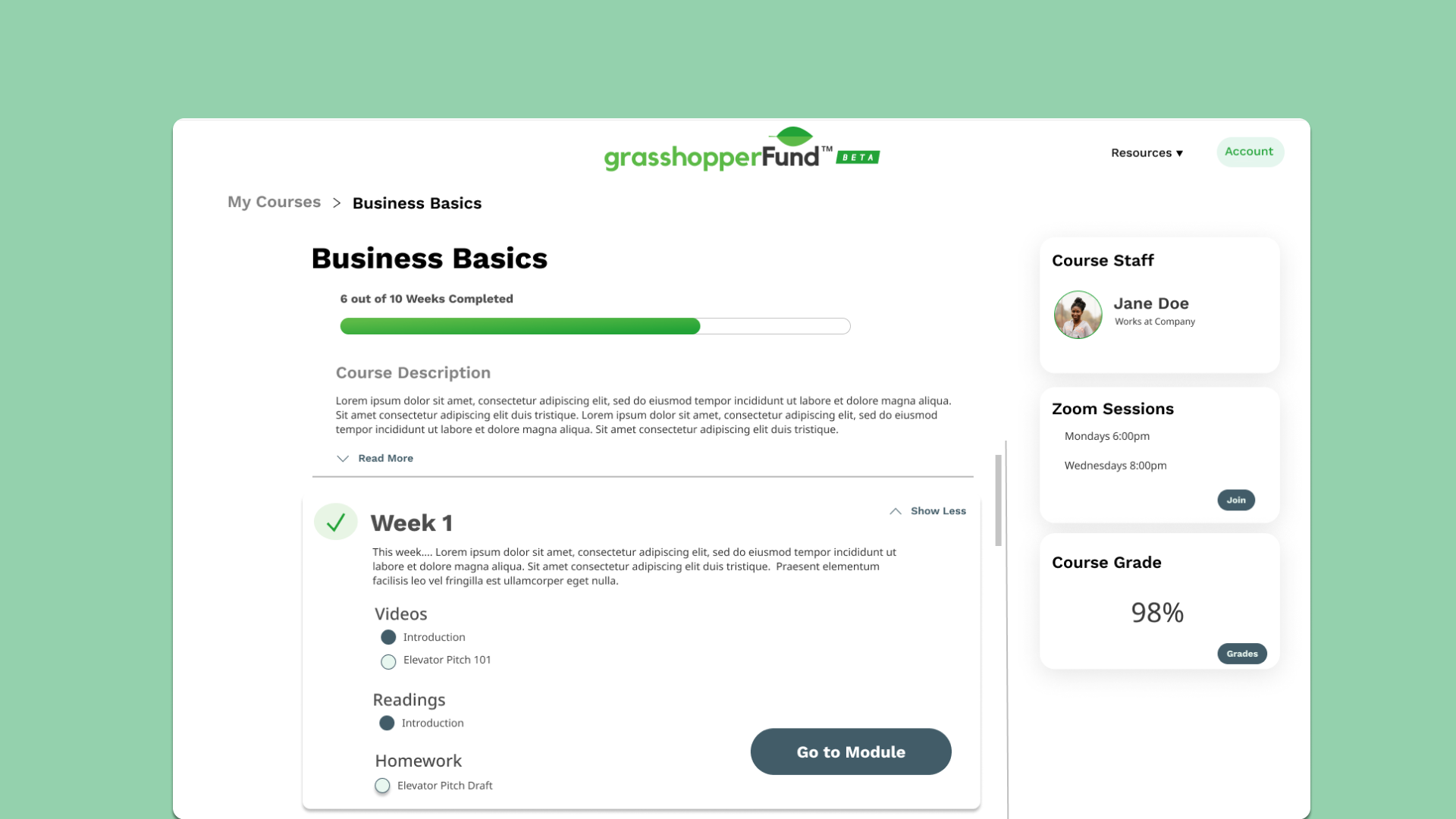
The Grasshopperfund Learning Management System (LMS) is an online-based platform that provides young entrepreneurs with vital business related courses. Often times, finding resources for starting business can be scattered all over different websites, but Grasshopperfund's LMS aims to create a centralized site for easy access. This project was a part of my team and I's Senior Capstone Project.
69% of youth say that they have a business idea but only 5% are actually able to start real businesses . Youth can be defined as the ages from 15 to 25. There is this gap from idea to practice revolving around young entrepreneurship. Users can be overwhelmed with trying to search for and learn vital entrepreneurial knowledge. The Grasshopperfund site already provides features for crowdfunding for startups, but there was still a knowledge gap present.
Our client, Grasshopperfund, and our team worked together to create a friendly and easy-to-use learning management system to close this gap for users. By adding in a Learning Management System to their site, young entrepreneurs would have everything they need to start their business in one place.
Although our client gave us a general idea of what they wanted the Learning Management System to look like, the actual features of it were not solidified. My team and I spent a few class sessions sitting down and discussing what these features could be. As students ourselves, we drew a lot from our own experiences with other LMSs. These are the key features we wanted to implement:
After having a solid idea of what features we wanted our Learning Management System to have, it was time for us to conduct user research. Due to the limited amount of time we had during the course, we chose to do a competitive analysis and personas.
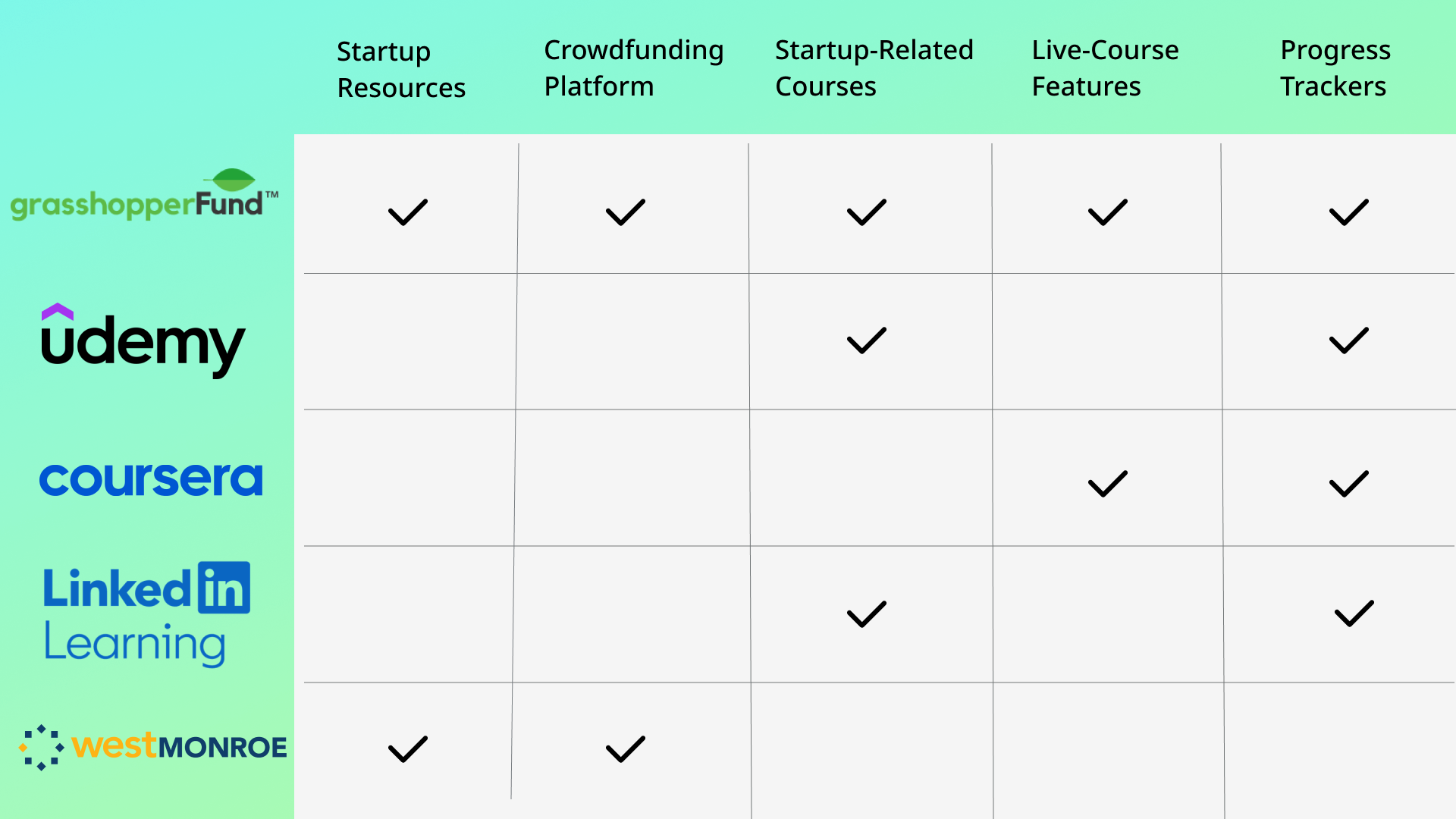
Coming into this project, our team and client knew that there were many other LMSs in the market. We focused on two categories of characteristics. Firstly, we wanted to see which sites/services offered basic resources for young entrepreneurs looking to start a business. For example, free articles or crowdfunding services. Secondly, we wanted to see whether or not they provided courses (or any kind of Learning Management System). If so, we further identified if they had specific features we wanted to add onto our own LMS.
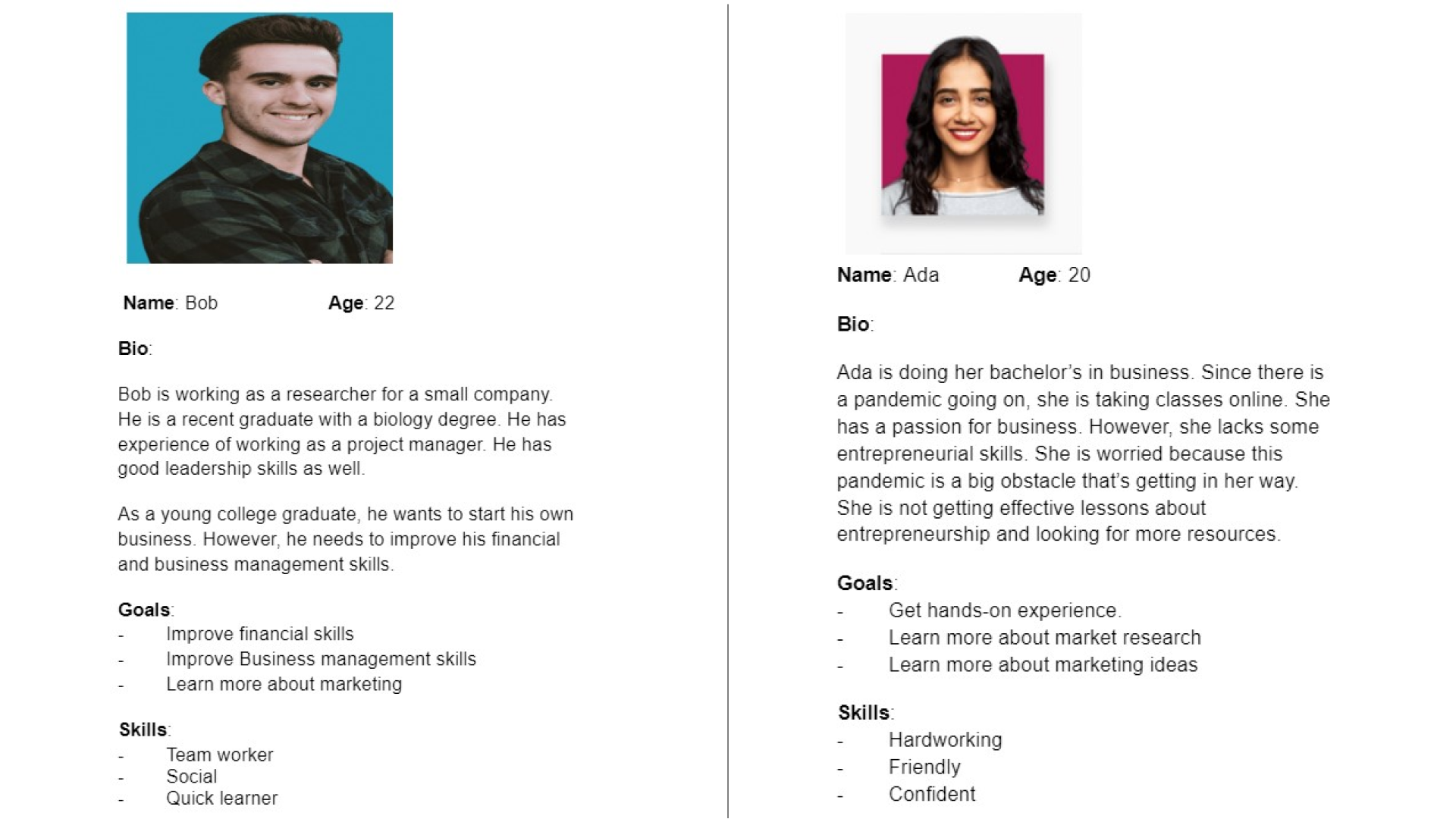
Our team also created two personas for our target group of users. As shown below, Bob and Ada are both young users who are interested in either starting or business or brushing up on existing skills. Bob represents our users who is seeking further resources and knowledge on the fundamentals of creating a successful startup. Ada represents our users who already have a foundation of business knowledge, but are worried about using Learning Management Systems that are not effective or difficult to use.
With our user research completed, our team began our design phase. Because this project had both a frontend and backend that needed to be completed, our team split up into two sub teams. I was a part of the frontend team and took the lead!
Our client, Grasshopperfund, requested that we use their existing style guide (including fonts and colors) to ensure that whatever LMS we developed fit seamlessly into their site.
To kickoff our design phase, my team and I had a sketching session. We spent intervals of 30 minutes sketching out the first things that came to our mind when thinking of our end product. Below is an example of a sketch I created. I sketched what I wanted the lesson page to look like. Something I really wanted to highlight was having "mini" checkpoints within each lesson/module. As someone who has trouble learning online, I found that being able to visually see my progress in bite sized chunks helped me a lot. It's a feature I wanted to pitch to my team.
.JPG)
Using Figma as our tool of choice, my frontend team began to translate some of our sketches onto simple mockups. The slider below showcases a few of the pages we initially came up with. Although these are far from our end product, they were a good starting point! With these initial mockups, we were able to communicate with our client and see what was missing/could be improved. As one of the main UI Designers of our team, I found myself revisiting these initial pages throughout our process.
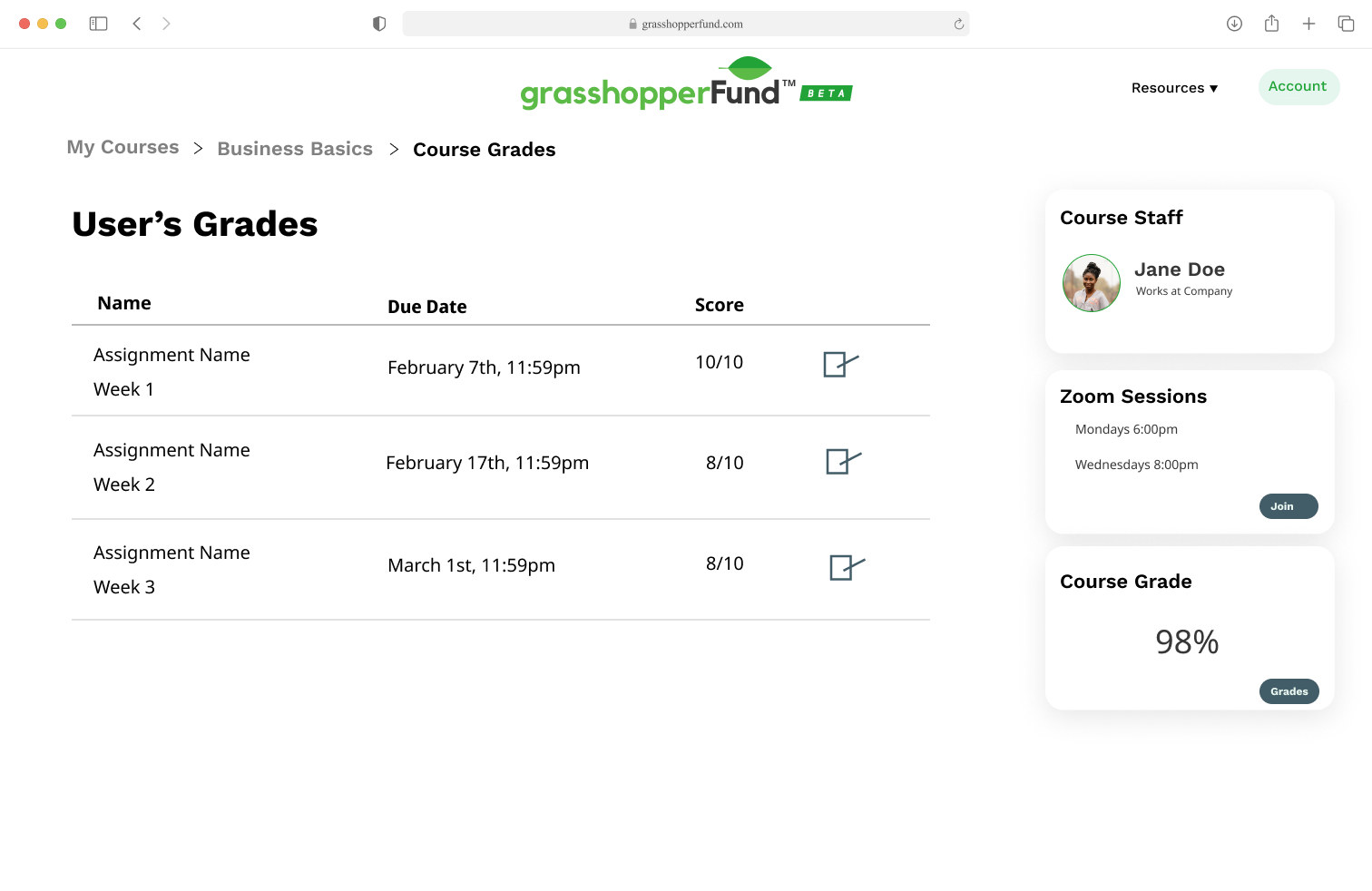
By the end of the 10-week mark of our project journey, we were able to finalize our mockups for our Learning Management System
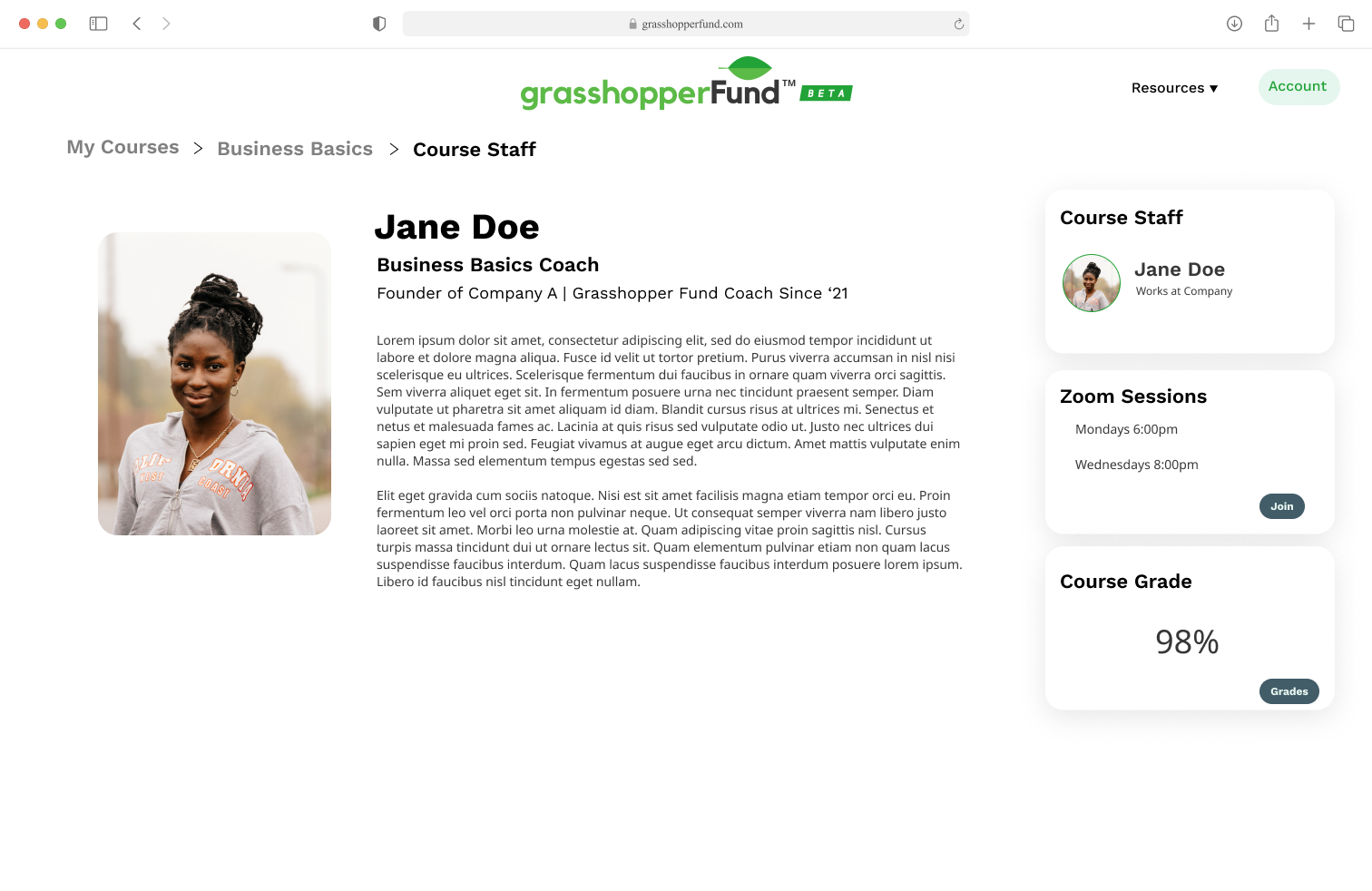
.png)
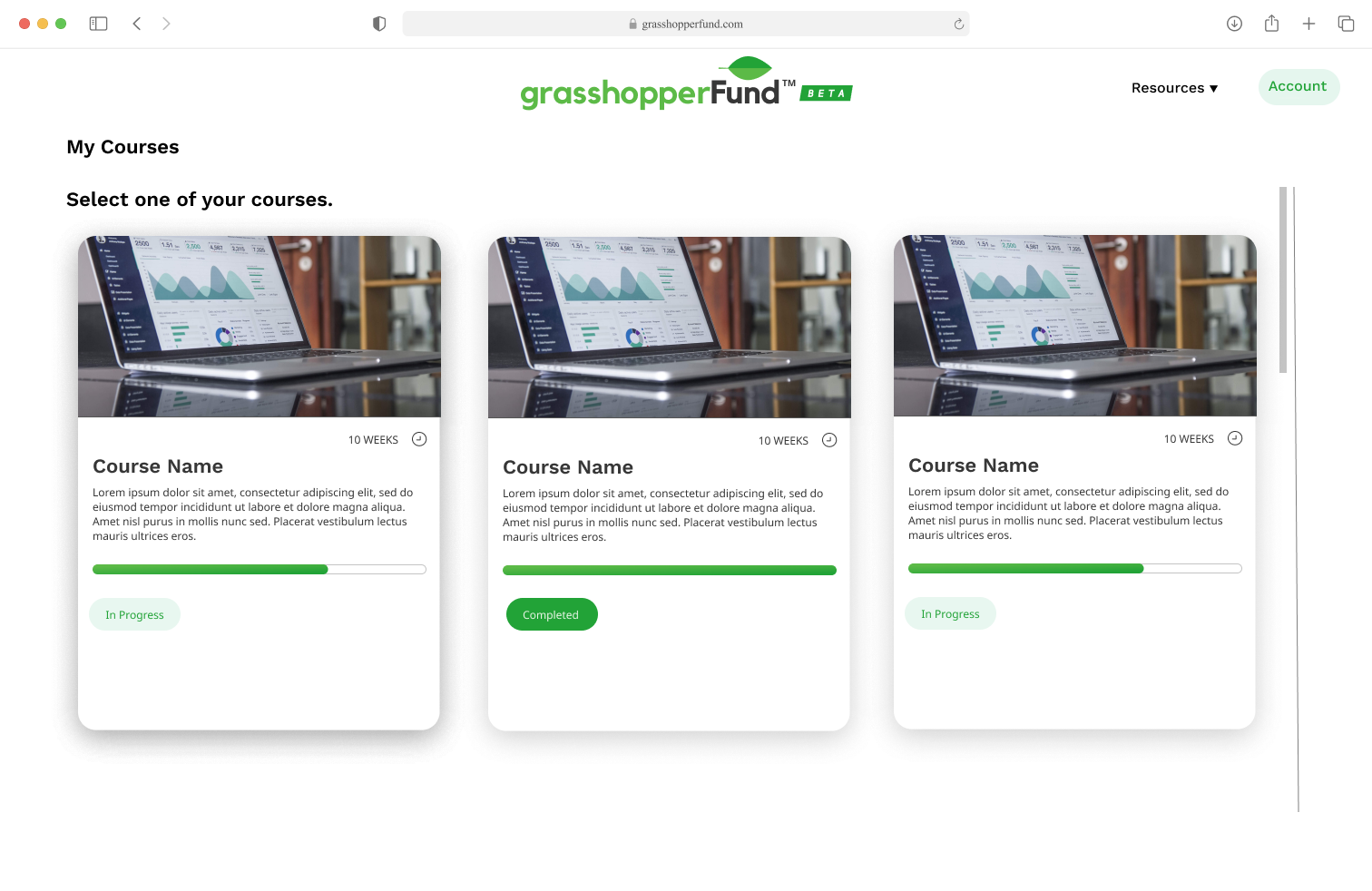
The second half of our project's timeline was focused fully on actually implementing our designs into a live website. Our team kept our sub teams from the first half, meaning I was now serving as a frontend developer! Our client, Grasshopperfunds, had an existing codebase they wanted us to work with. For the frontend team, this meant we had to implement using React, Bootstrap, GraphQL, and Docker. I was new to the majority of these languages/tools, so I had to hit the ground running and learn as I go. Each week, the frontend team would divvy up specific features or pages, and present them to our clients for status updates. In the next section, I will dive into which parts of the system I was able to build.
Listed above are the pages and components I personally created for our project. This included making sure they were responsive, styled correctly, and in working condition. The components I created were used throughout the rest of the system by my teammates.
Although I am unable to provide access to the live site I helped implement due to privacy reasons, below is a Figma prototype of the site that features some of the basic functionality of the site. It allows you to view the course home page and lesson page, as well as being able to navigate around the site with the side card menu.